Schemas
Schemas are used to help the system to understand how the entiites are structured, the system also uses them to validate the data.
to manage your schemas you can use the Schemas page in the admin panel.
Create a Schema
to create a schema you can use the Create button in the Schemas page, and you will get a form to fill the schema details:
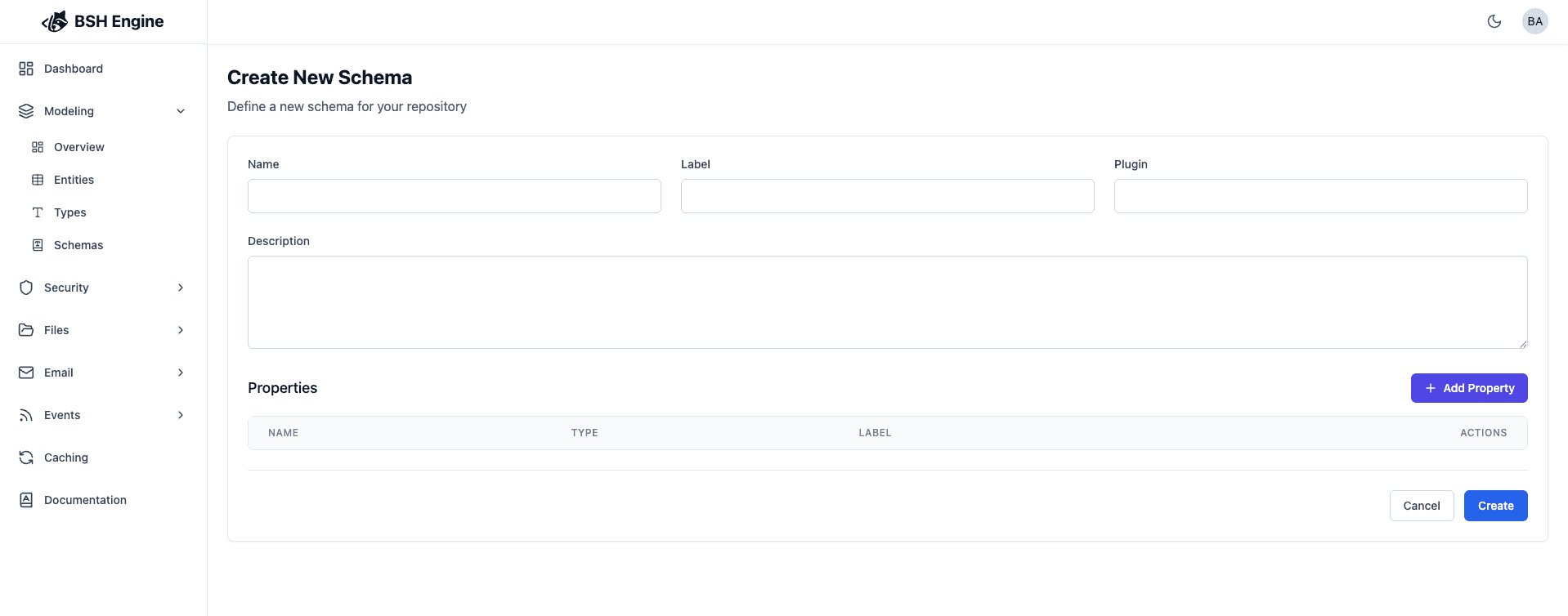
Schema Details
| Field | Description | required | default |
|---|---|---|---|
| Name | The name of the schema (will used as a reference to the schema) | yes | ~ |
| Label | The label of the schema (will used as a label to the schema) | yes | ~ |
| Description | The description of the schema (will used as a description to the schema) | no | ~ |
| Plugin | The plugin name this schema belongs to (not supported yet) | no | ~ |
Schema Properties
Properties allows you to define what are the columns that are part of the entity.
you can add a new property by clicking the Add Property button, and you will get a form to fill the property details:
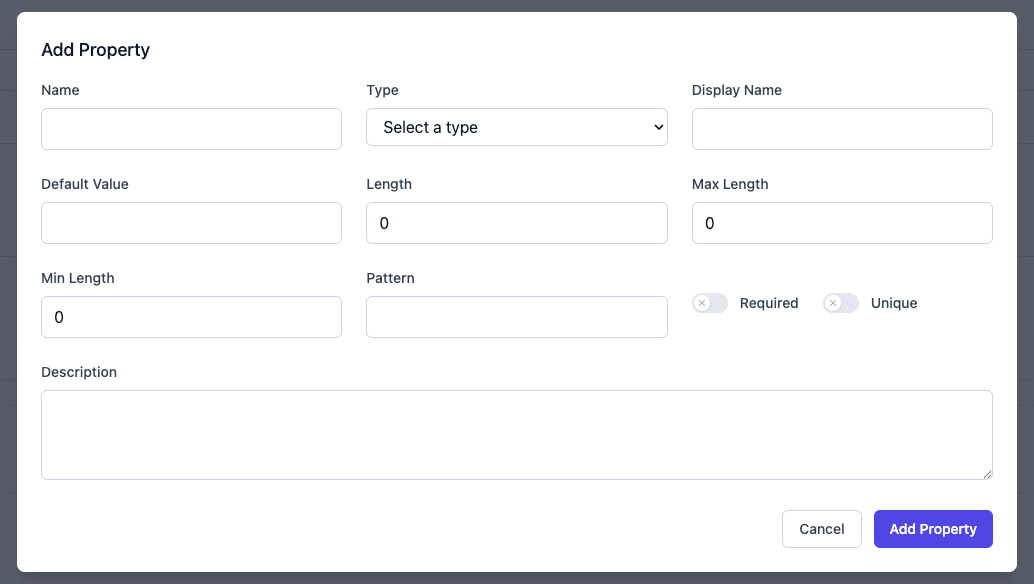
| Field | Description | required | default |
|---|---|---|---|
| Name | The name of the column | yes | ~ |
| Display Name | The display name of the column to label it | no | ~ |
| Type | The type of the property | yes | ~ |
| Description | The description of the property (will used as a description to the property) | no | ~ |
| Default Value | The default value of the property | no | ~ |
| Required | Whether the column is required | no | false |
| Unique | Whether the column is unique | no | false |
Note: This is the initial version of the Schema feature. Future updates will introduce additional capabilities such as:
- Creating indexes to improve query performance
- Hiding specific columns from API responses
- Abstracting the underlying database structure from external consumers
- …
Stay tuned for more enhancements as the platform evolves!
