API Keys
API keys provide secure programmatic access to the BSH Engine API without requiring user login credentials. They are ideal for automated systems, third-party applications, or personal scripts.
For API reference documentation, see the API Keys API section.
API Key Types
The system supports two types of API keys:
Personal Keys
- Inherit all permissions from the user who created them
- Synchronize with user permissions changes
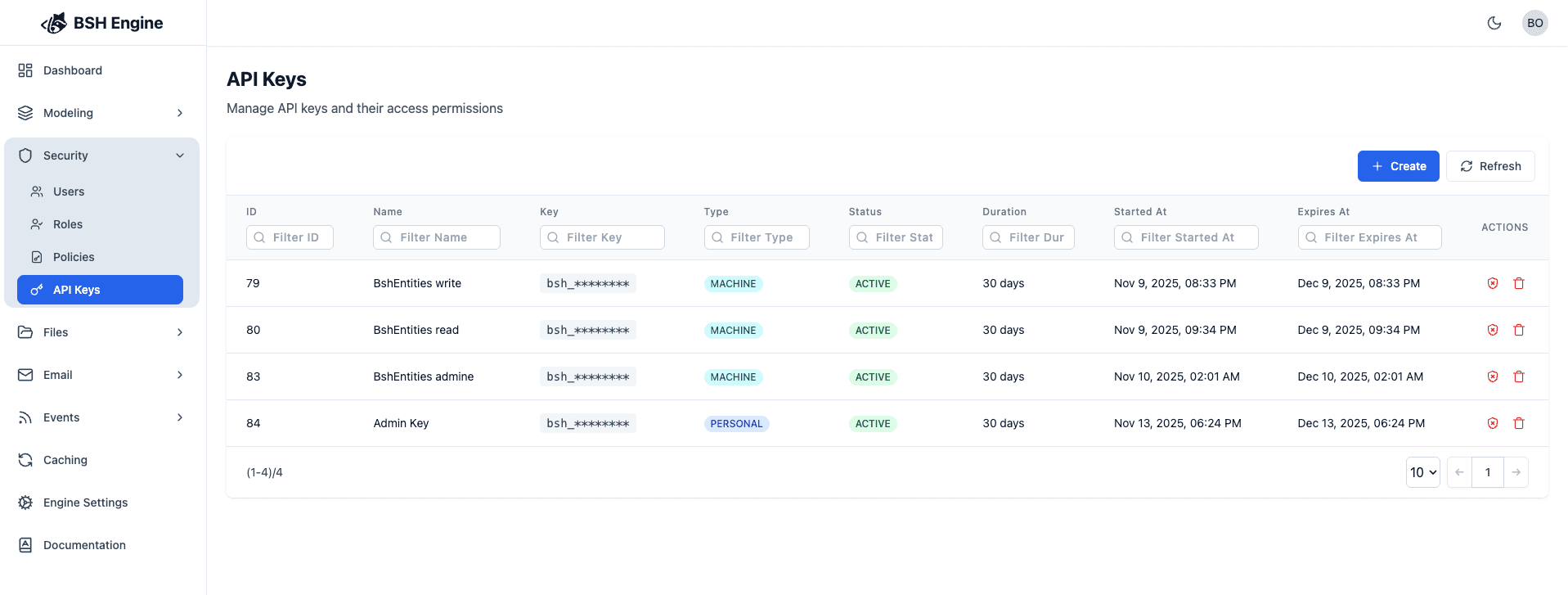
API Keys List
View all your API keys in the dashboard:
Creating a New API Key
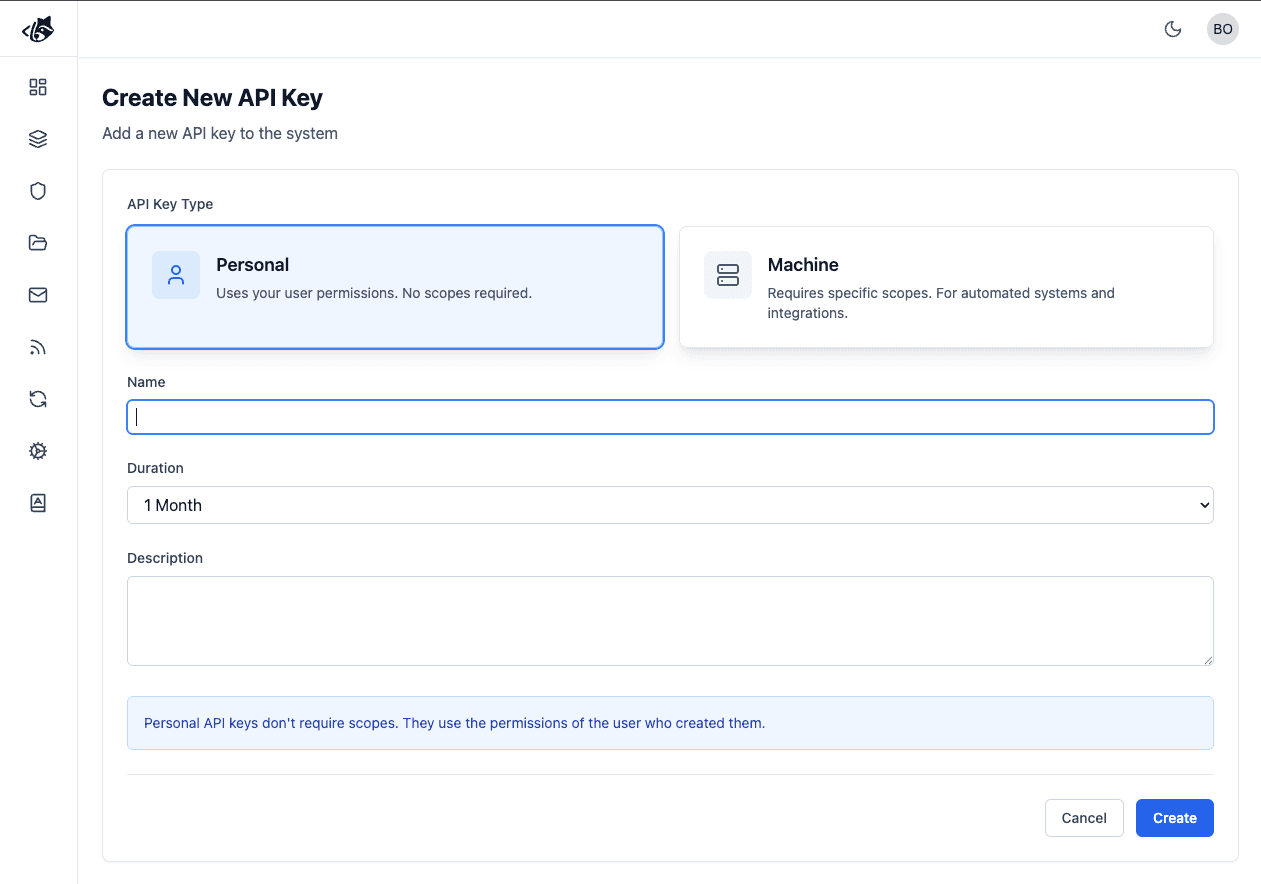
Personal Keys
Properties
| Property | Type | Required | Description |
|---|---|---|---|
| Name | string | yes | A descriptive name |
| Type | PERSONAL, MACHINE | no | Choose Personal or Machine type (default: PERSONAL) |
| Duration | number | yes | Expiration period in days (must be greater than 0) |
| Description | string | no | Additional notes about the key’s purpose |
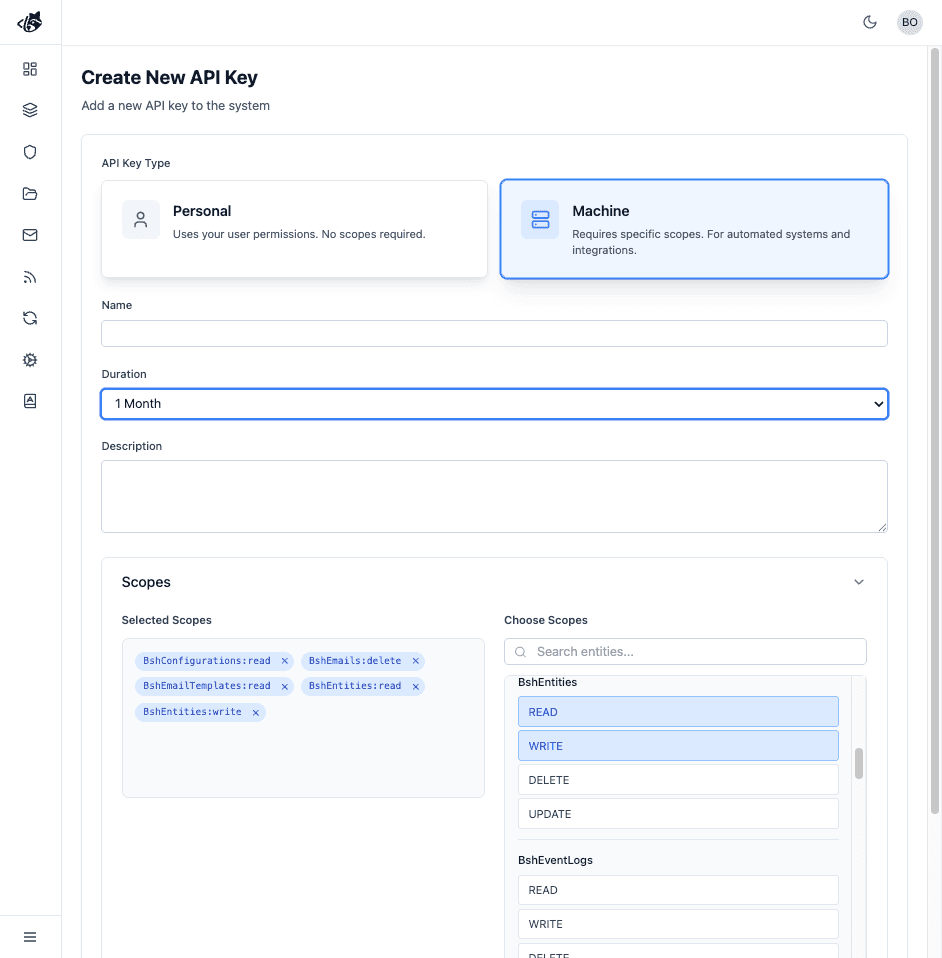
| Scopes | array of strings | yes (for MACHINE) | Entity and action permissions in format EntityName:ACTION |
Scopes
For MACHINE API keys, you need to configure scopes:
- Format:
EntityName:ACTION(e.g.,BshUsers:read,BshEntities:write) - Available Actions:
READ,WRITE,UPDATE,DELETE,SEARCH,* - Wildcard: Use
*for all actions on an entity (e.g.,Posts:*) - Multiple Scopes: Add multiple scopes for different entities and actions
Examples:
Posts:read- Read access to Posts entityPosts:write- Write access to Posts entityPosts:*- All actions on Posts entityComments:read- Read access to Comments entity
Use the scope selector in the dashboard to search and filter available entities.
Save your API key immediately! The full API key value is only displayed once during creation. After closing the creation modal, you will not be able to view the key again. The key will be masked (bsh_********) in all subsequent views for security purposes.
Using Your API Key
Include your API key in the X-BSH-APIKEY header for all API requests:
CURL
curl -H "X-BSH-APIKEY: bsh_********" \
https://api.example.com/api/entitiesIf both a JWT token and an API key are present in a request, the JWT token takes precedence. The API key authentication only applies when no JWT authentication is already established.
Revoking API Keys
You can revoke an API key at any time from the dashboard. Once revoked, the key will immediately stop working and cannot be restored.
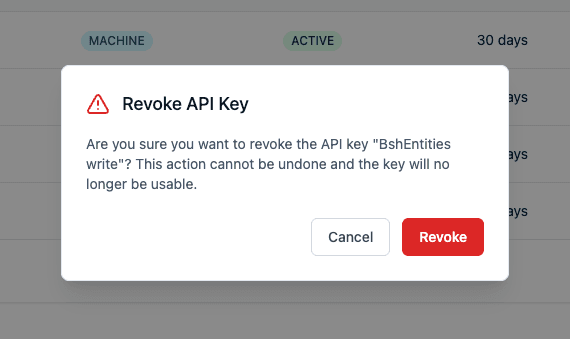
Revoking an API key is permanent and cannot be undone. If you need to use the API again, you must create a new API key.
Consider revoking API keys in these scenarios:
- Security breach: If a key may have been compromised
- Key rotation: When rotating to a new key as part of security best practices
- Project completion: When an integration or project is no longer active
- Access change: When permissions need to be changed (create a new key with updated scopes)
- Unused keys: To clean up keys that are no longer needed
